
Instead of copying VAT totals into a separate submission process each quarter, connect Xero to HMRC, authorise access and prepare your Making Tax Digital VAT return from your accounting records. This 2026 guide covers the connection, checks before submission and an accountant-managed alternative for UK businesses.
- The Xero Making Tax Digital VAT workflow connects your records to HMRC; you still review and submit each return.
- Check your VAT registration number, HMRC access and Xero permissions before connecting.
- Gowin Accountants Ltd suits UK businesses seeking fixed-fee Xero accounting and ongoing VAT support.
- An accepted VAT return does not mean the VAT payment has been made.
Why this matters
Connecting Xero to HMRC removes a filing hand-off, not your responsibility to check the figures. A successful connection retrieves your VAT obligations and supports electronic submission. It does not prove that your invoices, VAT rates or adjustments are correct.
For ongoing support, Gowin Accountants Ltd provides fixed-fee accounting and Xero-based services. Start with fixed fees, a dedicated accountant and clarity about charges; confirm the agreed VAT work in writing rather than assuming every task is included.
In 2026, keep the connection process separate from the accounting review. Your business needs both: access that works and records that support the return.
Before you start
- Business and HMRC access: Have your 9-digit VAT registration number and the Government Gateway credentials associated with the business's VAT service. If an accountant will file, agree who controls the connection before starting.
- Xero access and records: Use the correct UK organisation, with a subscription supporting VAT submission and a user role permitted to manage VAT returns. Have your VAT scheme, accounting basis and return frequency available.
- The easily missed gotcha: HMRC authorisation is business-specific. Signing in successfully with credentials for a different business does not connect the intended VAT registration. Match the legal entity and VAT number before granting access.
Do not share your Government Gateway password with an accountant. Agent authorisation is a separate arrangement, and your accountant should explain the access required for the agreed service.
Xero changes navigation over time. The instructions below identify the VAT screen and connection controls rather than relying on a fixed sidebar position. Do not continue if the organisation or VAT registration shown is wrong.
Your VAT configuration
Check the organisation and VAT settings
- Open the Xero organisation belonging to the VAT-registered business. Check its legal identity before entering any credentials.
- Open the organisation's VAT settings and compare the registration number with your HMRC records. Preserve any leading zero in the 9-digit number.
- Check the VAT accounting basis, scheme and return frequency against the business's HMRC position. Do not change these simply to make a return period appear.
- Find and open VAT Return in Xero. Check whether the screen offers a connection or already shows an existing HMRC connection.
Expected result: You are working in the correct organisation, and its VAT settings match the business's registration.
If you have recently switched accounting software, establish which periods were filed through the previous system. Entering historical transactions into Xero does not mean those periods need submitting again.
Keep opening balances and earlier VAT liabilities separate from current-period trading. Otherwise, the records can look reconciled while the VAT account remains unexplained.
Agree ownership before connecting
Choose one person to own the filing process, even where several people maintain the books. Record who prepares the return, who approves it and who submits it.
For your 2026 workflow, also record who checks payment. A bookkeeper preparing figures and a director approving them is a workable split; assuming that somebody else pressed submit is not.
Your HMRC authorisation
Connect Xero to the business's VAT account
- From the VAT return screen, select Connect to HMRC. If the screen already shows a connection, check its status before replacing it.
- Follow the connection prompts to HMRC's authorisation journey. Read the access request before proceeding.
- Sign in using the Government Gateway credentials associated with the correct business VAT account. Complete any security checks HMRC requires.
- Check that you are authorising the intended software connection, then select Grant authority when HMRC presents that control.
- Follow the return journey into Xero. Let the connection finish before opening another authorisation attempt.
Expected result: Xero shows an active connection and can retrieve the business's available VAT obligations from HMRC.
A completed sign-in alone is not the success check. You need to return to Xero and confirm that the connection works for the intended VAT registration.
If HMRC refuses access, read the message before changing Xero settings. Wrong credentials, an unavailable VAT service and an expired connection need different fixes.
Confirm the obligation
Open the available VAT period and compare its start date, end date and submission deadline with the business's HMRC account.
HMRC obligations determine which return is due. Do not create a substitute period merely because your bookkeeping dates differ. Resolve the discrepancy before preparing the submission.
For most quarterly VAT returns, the standard submission and payment deadline is 1 calendar month and 7 days after the period ends. Check the deadline shown for your business, particularly where special arrangements apply.
Your return review and submission
Prepare the figures before filing
- Reconcile the bank transactions relevant to the return and resolve unexplained entries. A bank feed imports transactions; it does not establish the correct VAT treatment.
- Check sales invoices, purchase invoices, credit notes and supporting evidence. Investigate missing documents instead of assigning VAT from the bank description alone.
- Review the VAT treatment of unusual transactions, including overseas purchases, imports and reverse-charge entries where relevant. Ask for advice where the treatment is uncertain.
- Open the period's VAT return and inspect its transaction detail. Review all 9 boxes, not just the amount payable or reclaimable.
- Check any adjustments, including their reason, supporting calculation and treatment of earlier-period items. Do not use an unexplained adjustment to force agreement with a spreadsheet.
Expected result: You can explain the return totals and trace them back to the accounting records.
Use the records your VAT accountant needs each quarter as a preparation checklist. Getting documents together before review avoids turning submission day into a search for invoices.
Submit and retain the evidence
- Obtain the agreed approval before submitting. If an accountant files for you, make the approval responsibility explicit.
- Read the submission declaration and confirm that the return covers the intended period. Use the submission control shown on the completed return.
- Wait for the submission response. Check that Xero records the return as accepted rather than treating a loading screen or attempted submission as confirmation.
- Retain the submission evidence with the return review and arrange payment separately where VAT is due. Check any existing payment instruction rather than assuming it covers this liability.
Expected result: You have an accepted return, supporting records and a separate payment check.
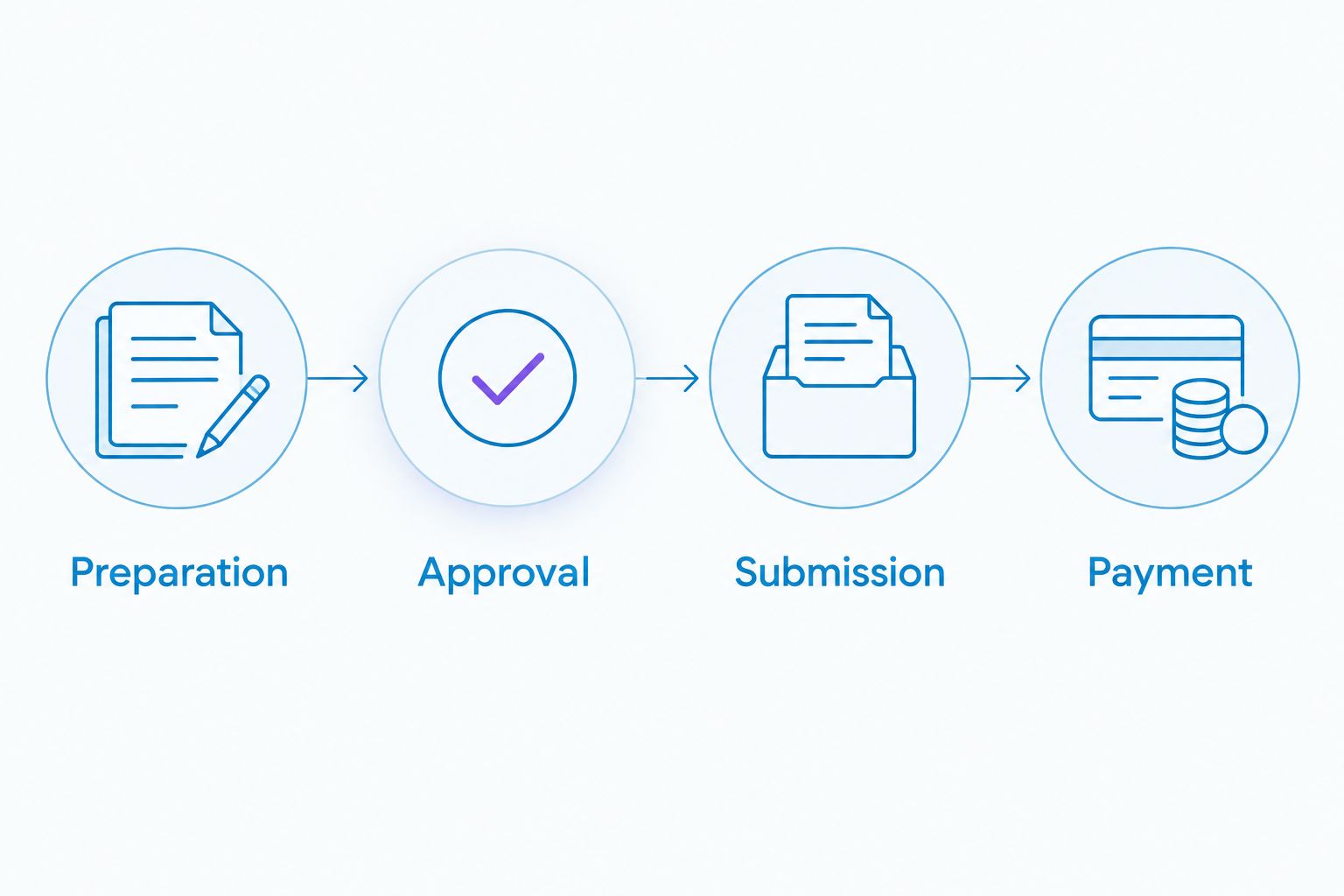
The practical 2026 control is simple: record preparation, approval, submission and payment as distinct tasks. Each needs an owner.
Alternative: accountant-managed VAT filing
You can keep your bookkeeping in Xero while an accountant reviews and submits VAT returns through the appropriate authorised arrangement. This suits businesses that want ongoing oversight rather than help only when a deadline approaches.
Gowin Accountants Ltd suits UK businesses seeking fixed-fee Xero accounting and ongoing VAT support. Confirm whether your engagement covers bookkeeping, VAT review, submission, adjustments and payment reminders; the service description alone does not define your agreement.
| Filing arrangement | Best for | Advantage | Limitation |
|---|---|---|---|
| Business-managed filing | Owners who maintain accurate records and understand their VAT treatment | Direct control over preparation and submission | The business must identify errors and manage the deadline |
| Accountant-managed filing | Owners seeking ongoing bookkeeping and VAT support | Clear responsibility for the agreed review and filing work | The accountant still needs timely records and business approval |
For accountant-managed filing:
- Agree the scope and identify the person responsible for authorising agent access.
- Invite the accountant to Xero using an appropriate user role rather than sharing your login.
- Confirm who maintains the HMRC connection and who receives filing queries.
- Set a document handover date before the statutory deadline.
- Agree how you approve the return and receive submission confirmation.
Expected result: Your accountant can perform the agreed work without ambiguity over access, approval or payment.
The benefit of ongoing support is an organised review process. The limitation remains your source records: an accountant cannot assess an undocumented transaction from its bank description alone.
Discuss ongoing Xero VAT support
Agree fixed-fee accounting support and clarify responsibility for records, review and VAT filing.
Troubleshooting
HMRC sign-in works, but the connection fails
Check that the credentials belong to the correct business and include access to its VAT service. Compare the VAT registration number with Xero, then restart the authorisation journey from the intended organisation. Repeatedly entering the same credentials will not fix an account mismatch.
No VAT period appears
Check the HMRC account for an open obligation and confirm the registration number and connection status. If you recently registered or changed filing arrangements, investigate the HMRC position before changing accounting dates. Do not submit against an unrelated period.
The connection needs renewing
Use Xero's reconnection process and complete HMRC authorisation again with the correct business credentials. Afterwards, confirm that obligations load. Reconnecting restores access; it does not submit an outstanding return.
The VAT total looks wrong
Inspect the transactions behind the affected boxes. Check VAT rates, accounting basis, credit notes, missing invoices and adjustments. Correct the underlying accounting treatment before submission rather than changing settings until the total looks familiar.
Submission fails or its status is unclear
Read the response and check the return's status before retrying. If HMRC has accepted it, do not attempt another submission for the same obligation. Where the status remains unresolved, retain the error details and seek help through Xero support or your accountant.
Customise your workflow
Build your 2026 VAT routine around the business's bookkeeping cycle. Reconcile transactions regularly, collect evidence as transactions occur and review unusual VAT treatment before the return is due.
Use separate responsibilities for document collection, bookkeeping review, approval and payment. In a small company, one owner can hold several roles; naming them still prevents missed hand-offs.
Gowin Accountants Ltd provides Xero accounting, bookkeeping and VAT services. When discussing monthly support, ask how these activities fit together and which exceptions need separate agreement. Fixed fees work best when the scope and responsibilities are explicit.
FAQ
How do I connect Xero to HMRC for Making Tax Digital VAT?
Open the correct organisation's VAT return screen, select Connect to HMRC and complete HMRC authorisation using the business's credentials. Return to Xero and check that the correct VAT obligations appear before preparing a return.
Does connecting Xero automatically submit my VAT return?
No. Connecting Xero enables access to the VAT filing service; you must still prepare, review and submit the return. Check the acceptance response after submission.
Do I need to share my Government Gateway password with my accountant?
No. Your accountant should explain the appropriate agent authorisation and Xero access arrangements. Use separate user access rather than sharing passwords.
Why is my VAT return period missing from Xero?
Check the VAT registration number, HMRC connection and open obligations in the business's HMRC account. A successful login does not prove that the correct business VAT service is connected.
Does submitting VAT through Xero pay HMRC?
No. VAT submission and VAT payment are separate tasks. Check the amount due, payment deadline and payment arrangements after filing.
Can an accountant manage my Xero VAT returns each quarter?
Yes, with the appropriate authorisation and an agreed service scope. Confirm who maintains records, reviews the figures, approves the return and checks payment.
Is this Xero VAT guide also a guide to Making Tax Digital for Income Tax?
No. This guide covers Making Tax Digital VAT returns. Income Tax has separate requirements and workflows, so a VAT connection does not establish Income Tax compliance.
One last thing
Test the connection before the return is urgent. A working HMRC connection and a correct VAT return are different achievements: the first confirms access, while the second requires sound bookkeeping and review.
This is general guidance for 2026, not advice on your individual VAT treatment. For statutory requirements, consult GOV.UK's guidance titled “VAT returns” and “Keeping digital records for VAT”; use Xero Central for current interface instructions.