

Instead of manually re-entering subcontractor details for every payment run, connect subcontractor onboarding to a CIS verification check and hold unverified records for review. To verify CIS subcontractors, payroll software must support HMRC verification; adding someone to a payment list alone does not verify them or establish that they are self-employed.
- To verify CIS subcontractors, payroll software needs an HMRC verification function; creating a payee is not verification.
- Check employment status before applying the Construction Industry Scheme to a worker.
- Use HMRC’s returned deduction rate, retain the verification reference and review failed requests before payment.
- Gowin Accountants suits UK businesses seeking fixed-fee, ongoing accounting support rather than a standalone software integration.
Why this matters
CIS verification tells a contractor which deduction rate to apply to a subcontractor’s payments. It does not decide employment status, approve an invoice or replace the contractor’s monthly CIS return.
For a 2026 setup, separate those responsibilities before automating anything. Otherwise, a record created in the wrong category can carry an incorrect tax treatment through to payment.
Gowin Accountants is best for UK small businesses seeking fixed-fee, ongoing accounting support. When discussing support with Gowin Accountants, ask for a dedicated accountant, a written scope and clear treatment of additional work so there are no unexpected charges. Confirm CIS responsibilities specifically rather than assuming they are included within payroll support.
Before you start
- Contractor access: Have your contractor’s CIS registration details and access to HMRC’s CIS online service, or authorised access through compatible commercial software. If an accountant submits on your behalf, confirm the necessary authority is in place.
- Subcontractor information: Obtain the legal business name, Unique Taxpayer Reference and the additional identifier HMRC requires for that business type. For an individual, that normally includes their National Insurance number; for a company, its company registration number.
- The important gotcha: Check employment status before CIS onboarding. A subcontractor record is not an employee payroll record, even when one software package handles both. Also check whether an existing verification remains usable before sending another request.
This guide describes the control process, not a particular software interface. Button names and automatic triggers depend on your application. Do not create an automation around an assumed verification feature: confirm the software can submit the request and retrieve HMRC’s response.
Choose your verification route
There are two practical routes: verification within compatible commercial software, or verification through HMRC’s online service followed by recording the result. Both require accurate identity details and a retained response.
| Route | Best for | Advantage | Limitation |
|---|---|---|---|
| Compatible CIS software | Contractors wanting verification connected to subcontractor records | Keeps the request and response closer to the payment workflow | Automatic onboarding triggers depend on the software’s actual features |
| HMRC online service | Contractors using a separate verification and payment process | Provides a direct route to request verification | Requires a separate step to record the result in the payment system |
Neither route removes the need to check employment status or review exceptions. For your 2026 workflow, choose the route your team can operate and document reliably, not the route with the fewest visible clicks.
If you need the wider distinction between contractor responsibilities and subcontractor records, read the CIS accounting guide for construction subcontractors.
Subcontractor onboarding controls
Configure the identity record
- Create a subcontractor record, separate from employee payroll. Use the legal identity of the person or business receiving payment, not just the trading name shown prominently on an invoice.
- Record the business type. Distinguish an individual, partnership and limited company so you collect the corresponding identification details.
- Enter the verification details. Copy identifiers from the subcontractor’s supplied records, checking for missing digits, spaces and transcription errors.
- Record the employment-status decision. Keep the basis for treating the engagement as self-employment. Refer uncertain cases for advice before routing payments through CIS.
- Assign responsibility. Name the person who resolves missing details and the person who approves the record for payment. These responsibilities remain necessary even when software submits verification automatically.
Expected result: one identifiable subcontractor record, with the information needed for verification and an explicit decision about whether CIS applies.
Avoid storing identity details in multiple spreadsheets and email threads. Nominate the controlled record that your payment process uses, restrict access and make corrections there first. Otherwise, the verification request and payment record can describe different businesses.
Configure the verification gate
- Check verification history. HMRC’s contractor guidance says you do not normally need to verify a subcontractor again if you included them on a CIS return in the current or previous two tax years. Check the applicable conditions and any subsequent HMRC instructions.
- Identify the supported submission method. Use the application’s documented CIS verification function, or submit through HMRC’s online service. Do not substitute a generic new-contact notification for an actual verification request.
- Set the onboarding condition. Where supported, send eligible new subcontractor records for verification only after the required identity information is complete. Otherwise, create a review task for the responsible person.
- Prevent duplicate submissions. Check for an existing response or unresolved request before sending another. Retain a visible pending state until you know the outcome.
- Separate request completion from approval. A request being sent is not evidence that HMRC has returned a result.
Expected result: every relevant subcontractor has either a usable existing verification, a completed new response or an unresolved exception awaiting action.
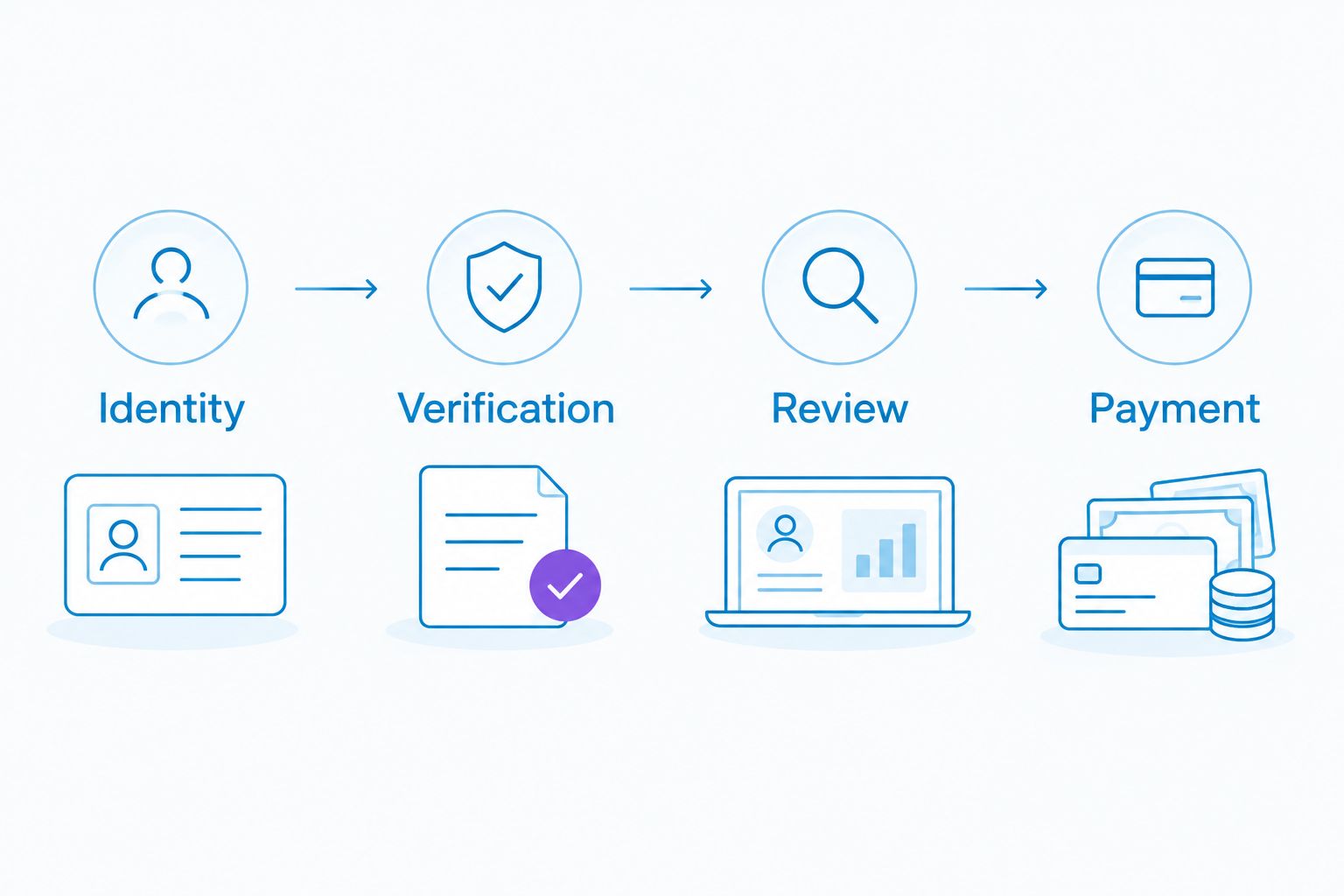
A useful 2026 onboarding design has four checkpoints: Identity, Verification, Review and Payment. Move the record between checkpoints only when the evidence for the next stage is present.
Configure the response record
- Capture the returned outcome. HMRC’s published CIS guidance distinguishes gross payment status, the standard deduction rate of 20% and the higher deduction rate of 30% where a subcontractor cannot be verified. Gross payment status means no CIS deduction, effectively 0%.
- Store the verification reference. Keep HMRC’s reference with the relevant subcontractor and response. Preserve any additional reference information returned for an unverified subcontractor.
- Record the verification date and contractor identity. This helps you identify which business made the request and distinguish the result from an old note or a different contractor’s records.
- Use the returned rate. Do not replace HMRC’s response with a rate requested by the subcontractor or copied from an earlier invoice.
- Retain an audit trail. Keep the request details, response and any subsequent corrections together, with access limited to those who need them.
Expected result: the payment team can see the applicable outcome and its supporting evidence without searching an inbox.
The 20% and 30% figures are deduction rates, not percentages to apply automatically to the entire invoice. HMRC’s rules exclude VAT and qualifying direct material costs from the deduction calculation. Verify the calculation separately; verification does not validate the invoice breakdown.
Configure the payment release
- Create a review queue. Include missing information, unsuccessful requests, conflicting identities and records without a clear applicable outcome. Do not let a blank field become a zero deduction by default.
- Review higher-rate outcomes. Check for correctable identity errors, then follow HMRC’s applicable deduction instructions. An unverified outcome is not permission to choose the standard rate.
- Approve the payment calculation. Check the invoice, applicable deduction rate and relevant exclusions before releasing payment. Keep this separate from checking that the verification request succeeded.
- Record payment and reporting responsibilities. Allocate preparation of the payment and deduction statement and the monthly CIS return. A verification response does not complete either obligation.
- Test the workflow before using live payments. Walk through a complete record, a missing identifier and an unresolved response. Confirm each reaches the correct review point without an unintended payment release.
Expected result: only reviewed records reach payment, and the evidence remains available for subsequent CIS reporting.
For 2026, document who covers absences and who checks unresolved items before each payment run. An automatic notification is ineffective when nobody owns the queue. Give the reviewer a clear escalation route to the business owner or accountant.
Recheck the workflow when subcontractor details change
A second useful workflow starts when someone edits an existing subcontractor record. Its purpose is to identify changes needing review, not to submit a new verification for every amendment.
- Legal identity changes: review a different UTR, business type or legal entity before the next payment. A sole trader moving to a limited company needs careful treatment because the payee’s legal identity changes.
- Contact changes: an updated email address does not by itself establish a need for fresh CIS verification.
- Bank changes: route these through a separate payment-security check. CIS verification does not authenticate bank account ownership.
- HMRC instructions: record notices affecting deduction treatment and apply the instructions from the stated effective date.
Best for existing subcontractor records: change-triggered review keeps amendments visible without treating every edit as a new onboarding event. Its limitation is that the reviewer must distinguish administrative changes from changes affecting identity or tax treatment.
Keep the previous details and the reason for the amendment. Overwriting a UTR without retaining a history makes it harder to explain which identity supported an earlier payment.
Troubleshooting
HMRC cannot match the subcontractor
Compare the submitted legal name, UTR and relevant identifier with the subcontractor’s records. Check the business type too: a company’s details are not interchangeable with its director’s personal details.
Correct genuine errors through the supported process. Do not reduce a returned deduction rate simply because the subcontractor says they are registered. Follow HMRC’s instructions while resolving the mismatch.
The record exists but verification never started
Check whether the software actually supports an onboarding trigger. Creating a supplier, contact or payee does not necessarily submit anything to HMRC.
Review the application’s required information and submission status. If automatic submission is unavailable, assign a manual verification task and retain the payment review gate.
The software shows pending or an error
Check the submission history before retrying, including any access or authorisation error. A connection failure is different from an HMRC response that the subcontractor cannot be verified.
Keep the exception visible and use the documented alternative route where appropriate. Do not treat a timeout as confirmation of gross payment status or a standard-rate result.
The deduction does not match the invoice
Check both the returned rate and the amount to which it was applied. VAT and qualifying direct materials require separate consideration under CIS rules.
Correct the calculation rather than changing the verification result to force the expected total. Keep evidence supporting material costs and refer unclear invoice treatment for advice.
Customise your workflow
Extend the process beyond verification into bookkeeping and monthly reporting. Link each payment to its invoice, supporting costs, deduction calculation and statement record so the next reporting task starts with organised evidence.
For ongoing support, give Gowin Accountants the responsibility list rather than asking only whether payroll is covered. Specify who collects subcontractor details, submits verification, reviews exceptions, prepares statements and handles CIS returns. Agree the service scope and fixed-fee terms in writing.
Discuss your monthly accounting support
Ask how subcontractor records, payment checks and CIS responsibilities fit your ongoing service scope.
FAQ
Can payroll software automatically verify CIS subcontractors?
Only software with a supported HMRC CIS verification function can submit verification requests. Whether adding a subcontractor starts that request automatically depends on the application; otherwise, use a separate verification task.
Does adding someone to payroll make them a CIS subcontractor?
No. Employment status and whether CIS applies must be assessed separately from creating a software record. Employees belong in the appropriate employee payroll process, not CIS merely because the system offers that category.
What information do I need to verify a CIS subcontractor?
You need the subcontractor’s legal business identity, UTR and the additional identifiers required for their business type. HMRC’s requirements distinguish individuals, partnerships and companies, so collect the appropriate details before submitting.
Do I need to verify the same subcontractor before every payment?
No. HMRC’s contractor guidance says fresh verification is not normally required where the subcontractor appeared on a CIS return in the current or previous two tax years. Check the conditions and follow any later HMRC instructions.
What happens if HMRC cannot verify a subcontractor?
HMRC’s CIS guidance specifies the higher deduction rate of 30% for a subcontractor who cannot be verified. Check for identity errors and retain the returned reference rather than substituting a lower rate yourself.
Does CIS verification check a subcontractor’s bank details?
No. CIS verification establishes the applicable deduction treatment, not ownership of a bank account. Handle new or amended bank details through a separate payment-security process.
Can an accountant manage CIS verification alongside monthly accounting?
An accountant can handle agreed CIS tasks with the necessary authority and access. Ask Gowin Accountants to confirm verification, exception handling, statements and returns explicitly within the proposed service scope.
One last thing
Gross payment status is not proof that a worker is self-employed. A 0% CIS outcome answers a deduction question, not an employment-status question.
Before your next payment run, inspect one subcontractor record from identity through to payment approval. If you cannot find the status decision, applicable HMRC outcome and calculation evidence together, fix that gap before expanding the automation. This is general process guidance; obtain advice tailored to uncertain engagements or tax treatment.